- Science
- Ready-made model
- Class 1 to 9
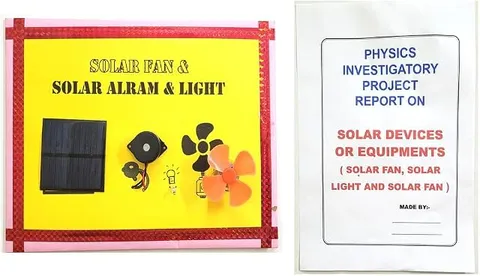
Solar Devices and Equipments Fan Light and Alarm Project and Model Educational Electronic Hobby Kit
Code B0DTYLWG4P
- Paid for and delivered by Amazon. The current price and the delivery date for your PIN code are shown there.
- Sold by Gurukul Technicals Institute, Delhi.
- Need a different topic, a custom version or a school order? Ask on WhatsApp.
In this project guide
Ready-made model
About this model
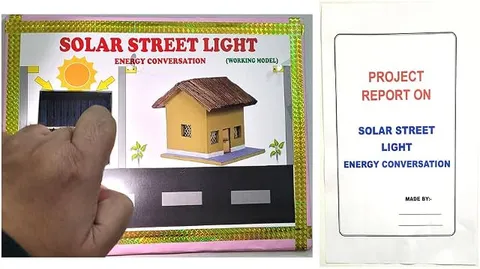
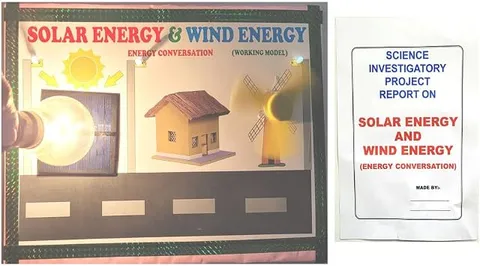
This hobby kit project shows how solar energy can run everyday devices, and its title names a fan, a light and an alarm. It lets students demonstrate solar power doing useful work, not just producing a reading on a meter. It is a good fit for school exhibitions on renewable energy and energy conservation.
How it works
The science behind it
The idea the model demonstrates, in words you can use in your report and when you explain it.
A solar cell converts light directly into electricity through the photovoltaic effect. One silicon cell gives only about 0.5 to 0.6 V, so a solar panel joins many cells in series to raise the voltage, and in parallel to raise the current. The panel produces DC, which can run DC loads directly: a motor turns electrical energy into motion in a fan, an LED turns it into light, and a buzzer turns it into sound. The electrical power delivered is P = VI. A panel's output depends strongly on how much light falls on it and at what angle; it is highest when sunlight strikes the panel straight on. Since there is no sunlight at night, practical systems store energy in a rechargeable battery during the day. Solar street lights on village roads and solar lanterns use this idea of storing the day's energy for use after dark.
Make it yourself
Make a solar-powered fan, light and alarm model yourself
Build your own version from scratch, or use the steps to understand how the ready-made model is put together before you present it.
What you need 8
Step by step 8 steps
Build the model house and fix the solar panel on its roof, tilted towards the light.
Mount the fan inside the house with the blade clear of every wall.
Fix the LEDs as room lights and the buzzer as a doorbell or alarm.
Wire each device through its own switch, in parallel, to the solar panel's output.
Take the model into sunlight and switch on each device in turn: the fan spins, the LEDs glow and the buzzer sounds.
Tilt the panel to different angles and note how the fan speed changes, to find the best angle for your location.
Cover half the panel with card and note how all three devices weaken.
For a night mode, with an adult, charge the rechargeable pack from the panel through the diode during the day and use it to light the LEDs after dark.
Read this first
Safety first
Go through these points before you build or switch anything on. Younger students should do this with an adult.
- Keep fingers away from the fan blade, and fix the blade firmly on the motor shaft.
- Never look at the sun while tilting the roof panel.
- Charge rechargeable cells only with an adult, and stop if they get warm.
- Build the house with the glue gun only when an adult is nearby.
Troubleshooting
If something does not work
The usual problems with this model and how to fix them. Open a problem to see the fix.
The fan does not start in sunlight
The motor needs extra current to start. Give the blade a gentle flick, use a lighter blade, or switch off the other devices.
Nothing works indoors
Indoor lights are far weaker than sunlight. Test outdoors or beside a bright window.
The LEDs glow but the buzzer is silent
The buzzer may need more voltage than the panel gives with everything on, or it is reversed. Try it on its own and check its polarity.
Everything stops when a cloud passes
That is how solar power behaves, and it is the reason for adding the battery in night mode.
Exhibition day
How to present it
A running order for the exhibition table or the practical, step by step.
Tilt the panel or move a lamp nearer and farther to show the fan speed changing with light.
Draw the energy conversion for each device: light to electrical, then to motion, light and sound.
Cover part of the panel and explain why the output drops.
Suggest a real use for each device, such as a solar alarm for a farm gate.
Practice
Viva questions
Practice questions on this model, with short answers. Try each one aloud before you open the answer.
What voltage does a single silicon solar cell give?
About 0.5 to 0.6 V in sunlight, which is why many cells are connected in series in a panel.
Why are solar cells connected in series and in parallel?
A series connection increases the voltage, and a parallel connection increases the current the panel can supply.
How can solar devices work at night?
By storing electrical energy from the panel in a rechargeable battery during the day and using it later.
What are the advantages of solar energy?
It is renewable, free and does not cause pollution while producing electricity.
Project file
Project file outline
The headings of the project file, in order. Give each heading its own section and write it in your own words.
Free ebook: Writing a Science Project FileContents
- Aim: to show solar energy running a fan, a light and an alarm
- How a solar cell produces electricity
- Series and parallel connection of cells in a solar panel
- Circuit diagram of the model house
- Observations: device performance at different panel angles and in shade
- Storing solar energy for use at night
- Solar devices in daily life: street lights, water heaters and pumps
- Conclusion on running a small home on solar power, and references
Buying checklist
Before you buy
What to check before you order the model.
1Check these first
- Check the listing for the panel size and the devices it runs, so your explanation matches the model.
- Plan for dim light in the exhibition hall: ask your teacher whether you can use a spot by a window or a bright lamp set up by an adult.
- Test it outdoors in sunlight a few days before the exhibition.
- Keep the box, and protect the panel's surface from scratches.
- Check the delivery date for your PIN code on the marketplace, and order well before the exhibition or practical.
- Practise explaining it. Judges ask what the model shows and why; knowing the science matters as much as the model. The viva questions above are a good place to start.
Next steps
Take it further
Ways to turn this model into a bigger investigation or a stronger exhibition entry.
Measure the panel's voltage and current at each angle and calculate the power.
Add an LDR circuit so the lights switch on by themselves at dusk, running from the stored battery.
Compare the power each device uses and suggest which to run first when sunlight is weak.
Audience
Who it suits
Class 6 to 10 science exhibitions on renewable energy, energy conservation and eco-friendly devices.
- ClassClass 1 to 9
- SubjectScience
- TypeReady-made model
Free to read
Free ebooks for this topic
Free PDF ebooks from Gurukul Technicals Institute on the science, the making and the presenting of projects like this one.
- Free PDF ebook
Your Science Exhibition Guide
Choose a project, build it, present it and answer the judges with confidence
- Free PDF ebook
Writing a Science Project File
How to write the report, from the cover page to the bibliography
- Free PDF ebook
Viva Questions for Science Projects
How to answer examiner questions, with sample questions for popular projects