Head office, Rana Pratap Bagh, Delhi011 2721 1512+91 97116 99511

Hardware & Networking

Mobile repairing

Finding and fixing common faults in mobile phones.

Suits: Learners who want hands-on technical work

Duration, fees and batch timings are quoted by the head office or your centre.
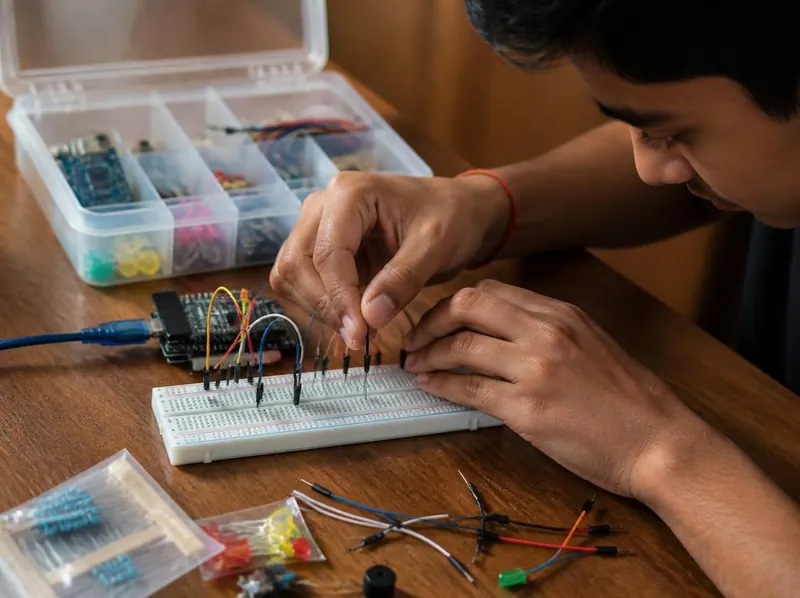
A student wiring a breadboard circuit with jumper wires beside a box of electronic components

The study book of this course

  • Mobile Repairing Basics
Lessons
7
Practice questions
35
Free ebooks
4

About the course

What the mobile repairing course is about

A course in finding and fixing common faults in mobile phones. It opens up a smartphone to show the main parts, then covers the tools and safety rules of a repair bench and how to handle lithium-ion batteries safely.

From there it works through diagnosing charging faults, display and touch faults and software problems, including backups, factory reset and flashing, and ends with protecting the customer’s data and working professionally.

What you will practise

Drawn from the lessons of the study books below.

  1. 01

    Name the main parts inside a smartphone and what each does

  2. 02

    Set up a safe workbench with the right repair tools

  3. 03

    Handle, charge and store lithium-ion batteries safely

  4. 04

    Diagnose charging faults step by step

  5. 05

    Diagnose display and touch faults

  6. 06

    Back up, factory reset and flash a phone, and protect the customer’s data

What you will learn

7 lessons, 21 exercises

Every lesson of the study book that comes with this course in the student portal, with the key points of each lesson and exercises to try. Your centre gives you the syllabus, the duration and the fee.

Study book

Mobile Repairing Basics

Learn the parts inside a smartphone, the tools and safety rules of a repair bench, lithium-ion battery safety, how to diagnose charging, display and software faults, and how to protect customer data.

  • 7 lessons
  • About 21 min of reading
  • 35 practice questions
  • 25 key terms
  1. 1Inside a Smartphone: The Main Parts3 min read · 5 key points · 3 exercises

    Key points

    • A smartphone has the same building blocks as a computer, packed into a small space.
    • The display assembly bonds cover glass, a touch layer and an LCD or OLED panel together.
    • LCD panels need a backlight; OLED pixels produce their own light.
    • The motherboard carries the SoC, RAM, storage and power management chips.
    • Flex cables snap onto board-to-board connectors and must be lifted straight up, gently.

    Try this

    1. Find the exact model number of your own phone and, with their permission, of two family members' phones in Settings under About phone (Settings > General > About on an iPhone), and write down whatever it lists about RAM, storage and the processor.
    2. Using a practice phone opened at the centre, or clear teardown pictures, draw a labelled diagram showing the display assembly, battery, motherboard, sub-board, charging port, cameras, earpiece, loudspeaker and flex cables.
    3. Test the parts and sensors of your own phone: during a call, cover the top of the screen to see the proximity sensor switch the display off; with auto-brightness on, shade the top edge to see the light sensor dim the screen; and record a voice note to check the microphone and loudspeaker.
  2. 2Repair Tools and Workbench Safety3 min read · 5 key points · 3 exercises

    Key points

    • Keep screws organised, because a long screw in the wrong hole can damage the board.
    • Use plastic tools near the battery and never pry with metal.
    • Gentle, moving heat softens adhesive without damaging parts.
    • A multimeter measures voltage, current and resistance and tests continuity.
    • Disconnect the battery connector first, before any other connector.

    Try this

    1. Lay out a practice bench with an ESD mat and a magnetic screw mat, identify the Phillips, pentalobe, tri-point and Torx bits in a precision screwdriver set by their tip shape, and sort a box of mixed practice screws by type and length.
    2. Under supervision and in a ventilated area, practise on a scrap circuit board: tin a clean iron tip, use flux, solder five short wires to the pads, check each joint with a magnifier, then remove the wires again, rest the iron in its stand and wash your hands afterwards.
    3. Set a digital multimeter to continuity mode and test a good wire and a broken one to hear the difference, then switch to the DC voltage range and measure the voltage of an AA cell and a 9 V battery.
  3. 3Lithium-Ion Battery Safety3 min read · 5 key points · 3 exercises

    Key points

    • Phones use lithium-ion batteries fitted with a protection circuit.
    • A swollen, dented or very hot battery is dangerous: stop using it and replace it.
    • Puncturing, crushing or short-circuiting a cell can cause thermal runaway and fire.
    • Use only plastic tools near the battery and fit replacements made for that model.
    • Dispose of old batteries through authorised e-waste collection, never in household waste.

    Try this

    1. Check your phone's battery health or maximum capacity where your model shows it, such as in the Battery section of an iPhone's Settings or under Battery or Device care on many Android phones, and note the battery's capacity in mAh from the phone's specifications.
    2. Make a safety poster for the workbench that lists the four signs of a dangerous battery and the steps to follow if a battery starts smoking, including the metal bucket of dry sand and long pliers or tongs.
    3. Under supervision, on a practice phone chosen by your instructor, open it the way the instructor shows for that model (from the back or through the display), disconnect the battery connector first using a plastic spudger, and point out the pull tabs or adhesive that hold the battery in place, without bending or removing the battery.
  4. 4Diagnosing Charging Faults3 min read · 5 key points · 3 exercises

    Key points

    • Always test with a known-good charger and cable first.
    • Lint in the port often causes charging only at an angle; clean it with non-metal tools.
    • Battery protection settings and overheating can pause charging without any fault.
    • A USB power meter shows whether the phone is actually drawing current.
    • If wireless charging works but cable charging does not, suspect the port or sub-board.

    Try this

    1. Inspect the charging ports of three phones with a torch and a magnifier, then switch one off and practise loosening lint from the back of its port with a wooden toothpick, never a metal pin.
    2. Plug a USB power meter between a charger and a phone with a low battery and record the voltage and current every five minutes for twenty minutes; then swap in a different cable, read the current again straight away and compare it with your last reading on the first cable.
    3. Write a step-by-step charging-fault checklist that runs from the questions to ask the customer to board-level repair, then use it on a practice fault set by your instructor, such as a damaged cable or a phone with battery protection set to stop charging at around 80 percent.
  5. 5Diagnosing Display and Touch Faults3 min read · 5 key points · 3 exercises

    Key points

    • First check whether the phone works: call it, connect it to a computer, try the torch test.
    • On most modern phones, cracked glass means replacing the whole display assembly.
    • Reseat the display connector and try a known-good test display before ordering a part.
    • Test touch, sensors and the front camera before sealing the phone.
    • Explain the quality of replacement displays honestly to the customer.

    Try this

    1. Write the three "is it really the display?" checks on a card (call the phone, connect it to a computer, try the torch test on an LCD), use them on a faulty phone provided by your instructor, and record whether the fault is the display or somewhere else.
    2. Make a chart of the six display symptoms in this lesson, describe each in your own words with its likely cause, then sort a set of photos or practice phones into those categories.
    3. On a working phone, carry out the test you would do before sealing a repair: drag a finger slowly over every part of the screen in a drawing app, change the brightness from lowest to highest, try the front camera, and check that the screen turns off near your ear during a call.
  6. 6Software Problems: Backups, Factory Reset and Flashing3 min read · 5 key points · 3 exercises

    Key points

    • Try gentle fixes first: restart, free storage, update, clear cache, safe mode.
    • Back up contacts, photos, chats and files before any reset or flash.
    • A factory reset erases user data and returns the phone to its factory software.
    • Never bypass Factory Reset Protection or Activation Lock; only the owner can sign in.
    • Flash only the official firmware for the exact model.

    Try this

    1. Back up your own phone: check that your contacts are saved to your Google account or iCloud, turn on photo backup, and run a WhatsApp backup from its chat settings, noting the date and size of the backup.
    2. On an Android phone, open Settings > Apps, choose one app and clear its cache from its Storage section, noting how much space was freed, then find out how your model starts in safe mode (on many phones, by touching and holding the Power off option).
    3. On a practice phone provided by your instructor that holds no personal data, remove the Google account, perform a factory reset from Settings, set the phone up again, and write down each step in order.
  7. 7Customer Data Privacy and Professional Practice3 min read · 5 key points · 3 exercises

    Key points

    • Record the model, IMEI, condition, accessories and data consent on a job card.
    • Ask customers to back up and to remove the SIM and memory card first.
    • Never look at, copy or share customer data, and delete test photos.
    • Never ask for a UPI PIN, banking password or OTP.
    • Before a phone is sold, remove the accounts, reset it and match the IMEI to the bill.

    Try this

    1. Design a job card on paper or in Word or Excel with every field listed in this lesson, then fill it in while role-playing a customer and a technician with a classmate, including the condition on arrival and the data consent.
    2. Dial *#06# on your phone to display its IMEI, write it down, and check that it matches the IMEI printed on the box or the bill.
    3. Write a one-page privacy checklist for a shop counter that covers the five rules for handling customer data and the four steps before selling or exchanging a phone, and practise explaining it to a classmate playing the customer in under two minutes.
Glossary: 25 key terms of Mobile Repairing Basics
Activation Lock
An Apple security feature that asks for the owner's Apple Account before an iPhone erased without first turning off Find My can be set up and used again.
Backlight
The light source behind an LCD panel that makes the picture visible; OLED screens do not need one.
Board-to-board connector
A tiny press-stud style connector that joins a flex cable to the motherboard and must be lifted straight up with a plastic tool.
Boot loop
A fault in which a phone keeps restarting or stays stuck at the logo instead of starting normally.
Burn-in
Faint, permanent shadows of images such as the keyboard or status bar on an OLED screen, caused by showing the same static picture for a long time.
Digitizer
The touch layer of a phone display that senses where your finger touches the screen.
Factory reset
Returning a phone to its out-of-the-box software, which erases the user's apps, settings and data.
Factory Reset Protection (FRP)
An Android security feature that, after a reset the owner did not start from inside the unlocked phone, such as one from recovery mode, asks for the Google account that was on the phone before it can be used.
Flashing
Rewriting a phone's operating system firmware, usually with a computer and the maker's own tool or recovery method.
Flex cable
A thin, bendable ribbon cable that connects parts such as the display, buttons or sub-board to the motherboard.
IMEI
International Mobile Equipment Identity, a unique 15-digit number that identifies a mobile phone (dual-SIM phones have two), shown by dialling *#06#.
LCD
A liquid crystal display, a screen type that needs a backlight behind the panel to light up the picture.
Lithium-ion battery
The rechargeable battery type used in almost every smartphone, usually as a flat pouch cell with a protection circuit attached.
mAh
Milliampere-hour, the unit of battery capacity; between batteries of the same type, a higher figure means the phone can run for longer.
Multimeter
A meter that measures voltage, current and resistance and has a continuity mode that beeps when two points are connected.
OLED
Organic light-emitting diode, a display type in which every pixel makes its own light, so no backlight is needed and black areas look truly black.
Pentalobe screw
A five-point screw used on some phones, especially iPhones, that needs a matching pentalobe screwdriver bit.
PMIC
The power management integrated circuit (IC), the chip on the motherboard that controls the power supplied to each section of the phone.
Recovery mode
A special start-up menu, opened with a button combination for that model, used to factory reset or repair the software of a phone that will not start normally.
Safe mode
An Android start-up mode that runs only the pre-installed apps, used to find out whether a downloaded app is causing a problem.
SoC
System on a Chip, a single chip that combines the CPU, the graphics processor and other units of a phone.
Spudger
A plastic or nylon lever used to pry clips apart and lift connectors without scratching or shorting anything.
Sub-board
A small secondary circuit board, usually at the bottom of a phone, that carries the charging port and a microphone and joins the motherboard by a flex cable.
Thermal runaway
A dangerous chain reaction in a damaged or overheated lithium-ion cell, in which it heats itself, releases flammable gases and can catch fire.
USB power meter
A small meter plugged in between the charger and the phone that shows the voltage and current flowing into the phone while it charges.

Practice and study material

Study books and timed practice tests in the student portal

Students sign in to read the study books lesson by lesson, print them, mark lessons as done and test themselves with timed practice tests, every answer explained.

  • 1study book
  • 7lessons
  • 35practice questions
  • 25glossary terms

How the practice tests work

  • Fresh questions each time

    Up to 20 questions are picked at random from the subject’s question bank.

  • One minute per question

    A timer counts down. When it reaches zero, your answers are sent automatically.

  • Move around freely

    Skip a question, flag it, and come back to change your answer before you submit.

  • Learn from every answer

    At the end you see the right answer and an explanation for each question.

  • Read, print and keep track

    Each study book has its lessons, key points, exercises and a glossary. Print a lesson, or mark it as done.

Try 3 practice questions

Real questions from this course’s question banks. Pick an answer to see the explanation.

  1. Mobile Repairing Basics · Question 1

    What is thermal runaway in a lithium-ion battery?

    Show the answer

    Answer: B. A self-heating reaction in a damaged cell that can cause fire

    In thermal runaway the cell keeps heating itself, releases flammable gases and can burst into flames.

  2. Mobile Repairing Basics · Question 2

    What is the best way to confirm a display fault before ordering a new display?

    Show the answer

    Answer: C. Connect a known-good test display

    A known-good test display confirms the diagnosis and shows that the motherboard's display circuit works.

  3. Mobile Repairing Basics · Question 3

    Why should scratches, dents and cracks be written on the job card when a phone is received?

    Show the answer

    Answer: A. To avoid disputes about damage already there

    Recording the condition on arrival protects both the customer and the shop if questions come up later.

Careers

Careers this course leads towards

The kind of work these skills are used for. Each guide explains what the job involves, the skills it asks for and how to get started.

  • Mobile repair technician

    Diagnosing and repairing phones: charging, display, battery and software faults, with care for the customer’s data.

Free calculators

Useful calculators

Free tools that go with this course. They work in your browser, on a phone or a computer.

How admission works

From your first question to your certificate.

The usual steps, at the head office in Delhi or at an authorised member centre.

Who can join
Students above 12 years of age.
Where
The Delhi head office and authorised member centres.
Fees and timings
On WhatsApp at +91 97116 99511, or by phone on 011 2721 1512.
Start with a question
  1. 1

    Ask about the course

    Call or WhatsApp the head office, or visit your nearest member centre. Ask for the duration, the fee and the batch timings in writing.

  2. 2

    Fill the admission form

    Admission forms are supplied by the head office to every centre.

  3. 3

    Learn in class

    Attend your batch at the centre, with the course material and study notes, and sign in to the student portal for the study books and practice tests.

  4. 4

    Take the exam

    The institute prefers written exams, taken in front of a teacher.

  5. 5

    Receive your certificate

    Students who pass get a Gurukul Technicals Institute certificate and marksheet. Employers can verify it with the head office.

Questions

Questions about the mobile repairing course

Still have a question?

Chat on WhatsApp
Who can join the mobile repairing course?

Students above 12 years of age can take admission, at the Delhi head office or at an authorised member centre. The course suits learners who want hands-on technical work. Tell the head office or your centre what you already know, and they will suggest where to start.

How long is the course and what is the fee?

Duration, fees and batch timings depend on the course and the centre. Ask the head office or your nearest member centre, and get the details in writing before you pay.

Where are the classes?

At the head office in Delhi (A-10, Chief Commissioner Colony, opposite Rana Pratap Bagh) and at authorised member centres. Call or WhatsApp the head office to find the nearest centre.

What do I need to use the study books and practice tests?

A phone or a computer with an internet connection, and the login your centre gives you at enrolment. The student portal opens in an ordinary web browser, so there is nothing to install. Student login.

How do the practice tests work?

Sign in to the student portal and choose a subject. Each test picks up to 20 questions at random from that subject’s question bank and gives you one minute per question, with a timer that sends your answers automatically when it reaches zero. You can skip a question, flag it and come back before you submit, and at the end you see the right answer and an explanation for every question. This course has 35 practice questions across 1 subject, and you can take the tests as often as you like.

Is there an exam and a certificate?

Yes. The institute prefers written exams, taken in front of a teacher. Students who pass receive a Gurukul Technicals Institute certificate and marksheet.

How is a Gurukul Technicals Institute certificate verified?

On the verify certificate page, anyone can enter a certificate number and check it against the institute’s online register, which covers certificates issued through the portal. For older certificates, or if there is any doubt, send a copy to the head office by email or WhatsApp; the reply comes within 2 working days.

Are the ebooks on this page really free?

Yes. The 4 ebooks for this course are free PDF downloads for anyone, whether or not you join. The whole library has 100 free ebooks: browse them all.

Ready to start the mobile repairing course?

Ask the head office for the duration, the fee, the batch timings and your nearest member centre.

WhatsApp us