- Physics
- Ready-made model
- Class 1 to 9
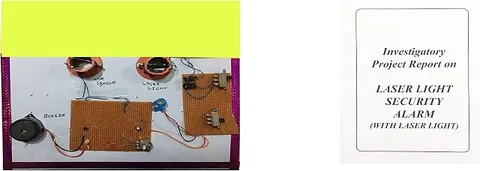
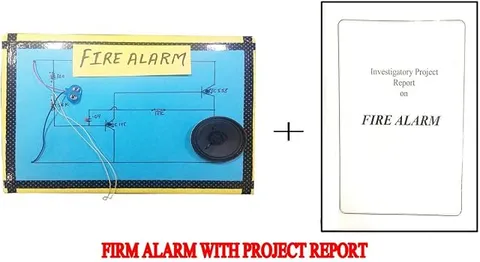
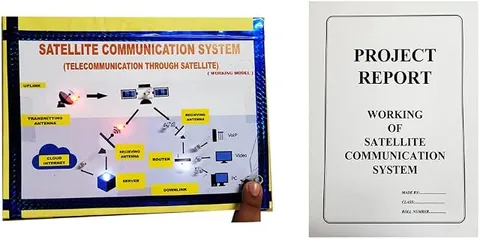
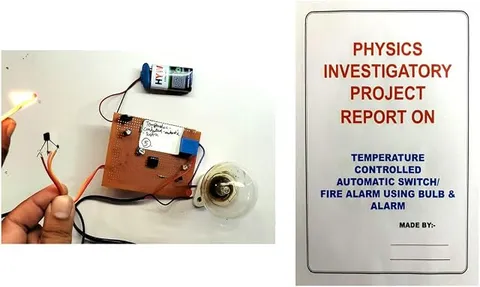
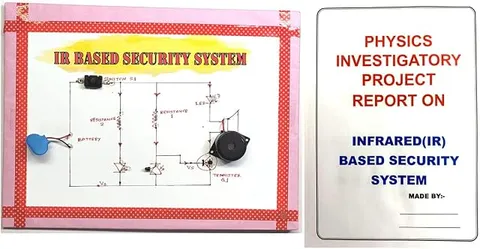
Infrared Based IR Security Alarm System Physics Working Project Model
Code B0G2TB6YWF
- Paid for and delivered by Amazon. The current price and the delivery date for your PIN code are shown there.
- Sold by Gurukul Technicals Institute, Delhi.
- Need a different topic, a custom version or a school order? Ask on WhatsApp.
In this project guide
Ready-made model
About this model
This working model is a security alarm that uses invisible infrared light to detect a person or object and raise an alert. It shows how a light sensor and a simple switching circuit can guard a door, window or display, the same idea used in many real alarms and automatic devices.
How it works
The science behind it
The idea the model demonstrates, in words you can use in your report and when you explain it.
Infrared (IR) is electromagnetic radiation with wavelengths a little longer than red light, from about 700 nanometres up to about 1 millimetre, so our eyes cannot see it. An IR LED gives out this radiation, and an IR receiver, usually a photodiode or phototransistor, conducts more when infrared falls on it. In a beam-type alarm the transmitter faces the receiver; when someone walks through, the beam is cut, the receiver's output changes and a transistor or comparator switches on the buzzer. In a reflection-type sensor both parts face the same way, and the alarm triggers when infrared bounces back off a nearby object. Either way, the circuit turns a change in light into an electrical signal. The TV remote in your home sends its commands using the same kind of invisible infrared light.
Make it yourself
Make an infrared security alarm yourself
Build your own version from scratch, or use the steps to understand how the ready-made model is put together before you present it.
What you need 9
Step by step 8 steps
Connect the IR LED with its 330 Ω resistor across the battery, long leg to positive. You cannot see infrared, but many phone cameras, often the front one, show it as a faint purple glow.
Fit the phototransistor inside a short black tube so only the beam reaches it. Find its collector and emitter from its datasheet or the seller's pin diagram, then connect its collector to the BC547's base and its emitter to negative.
From the base, connect the 10 kΩ resistor and the 100 kΩ preset in series to positive, and connect the emitter to negative.
Connect the buzzer's positive lead to battery positive and its negative lead to the transistor's collector.
Fix the IR LED and phototransistor on the pillars facing each other across the door frame, close together to start with.
Switch on with the beam lined up and adjust the preset until the buzzer is silent. Now put your hand in the beam: the buzzer should sound.
Move the pillars further apart a little at a time, realigning and readjusting, to find the longest working distance.
Hide the wiring under the base, label the transmitter and receiver, and draw the circuit and the path of the invisible beam on a chart.
Read this first
Safety first
Go through these points before you build or switch anything on. Younger students should do this with an adult.
- Use only the 9 V battery, and always keep the 330 Ω resistor in series with the IR LED or it will burn out.
- Do not stare into the IR LED from very close for long, even though you cannot see its light.
- Soldering and cutting need adult supervision.
- The buzzer is loud; test it at arm's length and switch off after each demonstration.
Troubleshooting
If something does not work
The usual problems with this model and how to fix them. Open a problem to see the fix.
The buzzer sounds all the time
The receiver is not getting enough infrared. Check the IR LED with a phone camera, line the pair up, move them closer, and turn the preset to lower the base voltage.
The buzzer never sounds, even when the beam is blocked
Room light or sunlight may be reaching the phototransistor, so shade it more. Also check the transistor's pins and turn the preset the other way.
It works at home but not in a bright hall
Sunlight contains a lot of infrared. Keep the model away from windows, lengthen the receiver's shield tube and readjust the preset on the spot.
The IR LED does not show on the phone camera
Try the front camera, check the LED's polarity and resistor, and fit a fresh battery.
Exhibition day
How to present it
A running order for the exhibition table or the practical, step by step.
Point a phone camera at the IR LED; many phone cameras show its invisible light as a faint glow.
Move your hand through the sensing area slowly to show exactly where the alarm triggers.
Explain why infrared is used instead of visible light for a security system.
Suggest a real use, such as guarding a shop counter or counting people at an entry gate.
Practice
Viva questions
Practice questions on this model, with short answers. Try each one aloud before you open the answer.
What is infrared radiation?
It is electromagnetic radiation with a wavelength longer than visible red light; we cannot see it, but we feel strong infrared as heat.
Which component detects the infrared light?
An IR receiver such as a photodiode or phototransistor, which conducts more when infrared falls on it.
Why is infrared preferred for a security alarm?
It is invisible, so an intruder cannot easily see the beam, and IR LEDs and sensors are cheap and use little power.
Name an everyday device that uses infrared.
The TV or AC remote control, which sends signals using an infrared LED.
Project file
Project file outline
The headings of the project file, in order. Give each heading its own section and write it in your own words.
Free ebook: Writing a Science Project FileContents
- Aim: to make a security alarm that sounds when an invisible infrared beam is broken
- Introduction: the electromagnetic spectrum and where infrared lies in it
- Materials and circuit diagram of the beam alarm
- Working of the IR LED, the phototransistor and the transistor switch
- Beam-type and reflection-type sensors compared
- Procedure: lining up the beam and setting the preset
- Observations: longest working distance and the effect of room light (table)
- Applications: burglar alarms, automatic doors, lift doors and people counters
- Conclusion and limitations
Buying checklist
Before you buy
What to check before you order the model, and what to do when it arrives.
1Before you order
- Check that it fits your class and topic (light, electronics or sensors) and your exhibition theme.
- Read the listing to see whether a battery and a report are included.
- Keep a spare 9 V battery, since a buzzer drains it during long demonstrations.
- Keep the box so the sensors stay aligned in transport.
- Check the delivery date for your PIN code on the marketplace, and order well before the exhibition or practical.
- Practise explaining it. Judges ask what the model shows and why; knowing the science matters as much as the model. The viva questions above are a good place to start.
2When it arrives
- Test it on arrival and a few days before the event, and check how the hall lighting affects it.
Next steps
Take it further
Ways to turn this model into a bigger investigation or a stronger exhibition entry.
Add a latch, using a relay or an SCR, so the alarm keeps ringing after the intruder has left the beam.
Bounce the beam off small mirrors around a model room and find how far it can travel.
Add a counter so the model counts people walking through a doorway.
Audience
Who it suits
Good for Class 8 to 12 physics working models and for students starting sensor-based electronics projects.
- ClassClass 1 to 9
- SubjectPhysics
- TypeReady-made model
Free to read
Free ebooks for this topic
Free PDF ebooks from Gurukul Technicals Institute on the science, the making and the presenting of projects like this one.
- Free PDF ebook
Physics Working Models Explained
Twenty classic models, how each works and how to make it
- Free PDF ebook
Your Science Exhibition Guide
Choose a project, build it, present it and answer the judges with confidence
- Free PDF ebook
Writing a Science Project File
How to write the report, from the cover page to the bibliography
- Free PDF ebook
Viva Questions for Science Projects
How to answer examiner questions, with sample questions for popular projects