- Components and Spares
- Component
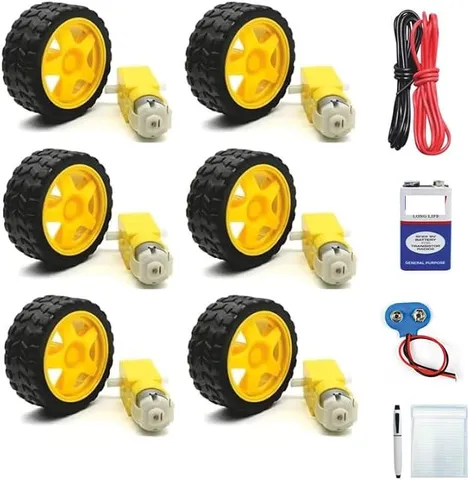
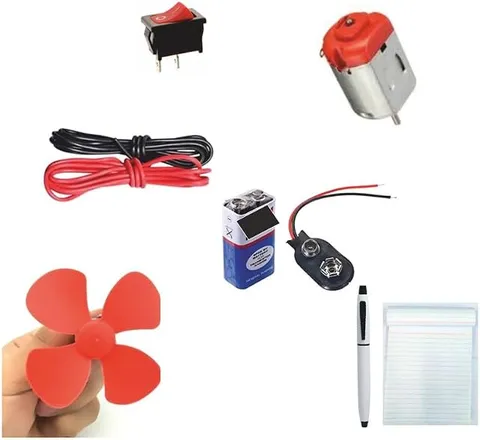
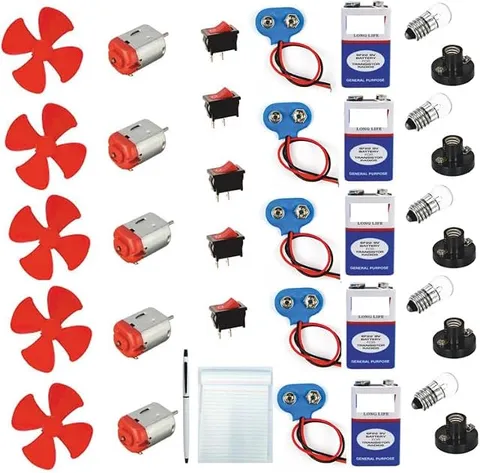
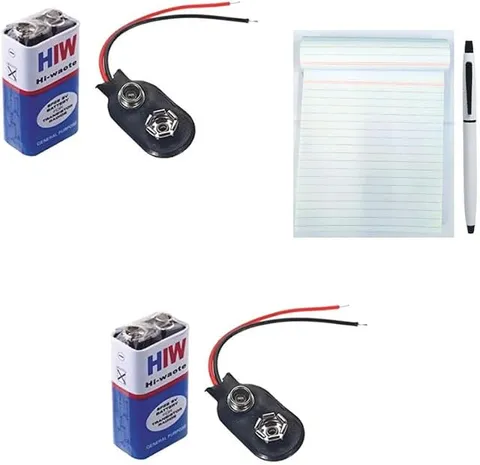
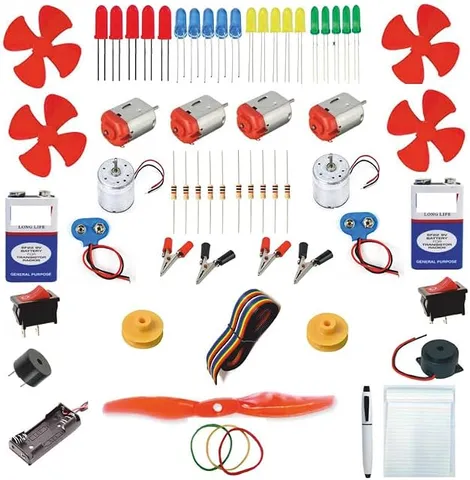
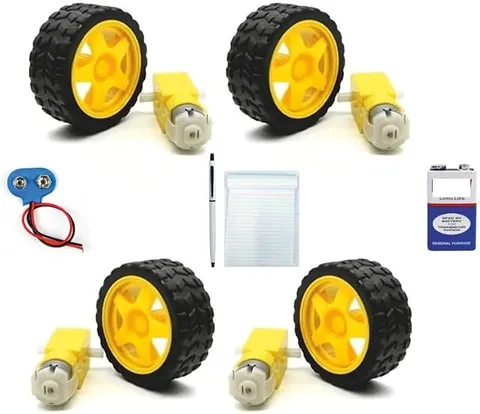
12in1 BO Double shaft DC gear motor with Big Wheels with 9V Battery
Code B0FGV14PMM
- Paid for and delivered by Amazon. The current price and the delivery date for your PIN code are shown there.
- Sold by Gurukul Technicals Institute, Delhi.
- Need a different topic, a custom version or a school order? Ask on WhatsApp.
Component
About this part
BO (battery operated) DC gear motors are the small geared motors used in most school robot cars and moving models, and a double shaft means the shaft comes out on both sides so a wheel or an encoder disc can be fitted on either side. The listing title mentions '12in1', big wheels and a 9V battery, so check the listing for the exact parts and quantities. It is a simple starting point for anyone who wants to make a model that moves.
How it works
The science behind it
The idea the part demonstrates, in words you can use in your report and when you explain it.
A DC motor works because a current-carrying conductor placed in a magnetic field feels a force, whose direction is given by Fleming's left-hand rule. In the motor, the forces on the two sides of the coil act in opposite directions and make it turn, and the commutator reverses the current every half turn so the rotation continues in one direction. A bare motor spins very fast but with little turning force, so a BO motor adds a gearbox. Gears trade speed for torque: for example, with a gear ratio of 48:1, the output shaft turns 48 times slower and, ignoring friction losses, gives about 48 times more torque. Reversing the battery leads reverses the direction of rotation, which is how a robot car goes backwards. Ceiling fans and mixer-grinders at home also use electromagnetism to produce rotation, though they run on AC and are built differently.
Using it in your projects
Using BO double shaft gear motors and wheels in your projects
What this part is good for, what else you need with it and how to connect it.
Projects you can build with it 7
- Two-wheel robot car with a front caster
- Line-following robot with IR sensors
- Obstacle-avoiding robot with an ultrasonic sensor
- Bluetooth-controlled car driven from a phone app
- Mini conveyor belt for a factory model
- Slowly rotating stand for an exhibition display
- Wheel speed counter using the second shaft and a slotted disc
What else you need 8
How to connect it 8 steps
Solder a red and a black wire to each motor's two terminals, with an adult, and twist each pair so the wires do not snag.
Test each motor by touching its wires to the battery for a second; swap the wires and check that it turns the other way.
Push a wheel onto each motor on the side you need, and tighten its screw if it has one, so it does not wobble.
Fix the two motors under the back of the chassis, facing opposite ways, so the wheels are in line.
Fit the caster or bead at the front so the car rests on three points.
Wire both motors through the switch to the battery so both wheels drive forward; if one goes backward, swap its two wires.
Run the car on a smooth floor and adjust the wheels if it pulls to one side.
Use the free second shaft for an extra job, such as a slotted disc for counting turns or a second pair of wheels.
Read this first
Safety first
Go through these points before you build or switch anything on. Younger students should do this with an adult.
- Keep fingers and hair away from the wheels and gears while the motors are running.
- Never touch the battery's two wires together; a shorted battery or cell pack gets hot.
- Do not hold a motor stalled for long; it heats up and drains the battery quickly.
- Solder the motor terminals only with an adult; the plastic end cap can melt if the iron rests on it.
Troubleshooting
If something does not work
The usual problems with this part and how to fix them. Open a problem to see the fix.
The car goes round in circles
One motor is running backwards. Swap that motor's two wires.
The motors hum but the car does not move
The battery is weak or the car is too heavy. Fit fresh cells, lighten the chassis, and check the wheels are not rubbing on the body.
The car is slow and the battery runs down fast
A 9 V battery cannot give much current for long. A pack of AA cells within the motors' rated voltage usually runs motors for longer.
A wheel slips on the shaft
Tighten its screw. If it still slips, add a small drop of glue only once you are sure of its position.
Exhibition day
How to present it
A running order for the exhibition table or the practical, step by step.
Show the motor running in both directions by swapping the battery wires, and explain why the direction changes.
Press a finger lightly on the wheel to show how much turning force the gearbox gives at low speed.
If you build a car, mark a start line and time it over one metre to calculate its speed.
Keep a simple diagram of Fleming's left-hand rule beside the model.
Practice
Viva questions
Practice questions on this part, with short answers. Try each one aloud before you open the answer.
What does BO stand for in a BO motor?
Battery operated. It is a small DC motor fitted with a gearbox so it can run models and robots from batteries.
Why is a gearbox used with the motor?
A bare motor turns fast with low torque. The gearbox reduces the speed and increases the torque so it can move the wheels of a loaded car.
How can you reverse the direction of a DC motor?
By reversing the polarity of the supply, that is, swapping the positive and negative connections, so the force on the coil acts the other way.
What is the function of the commutator?
It reverses the direction of current in the coil every half rotation, so the coil keeps turning in the same direction.
Buying checklist
Before you buy
What to check before you order the part, and what to do when it arrives.
1Before you order
- The title mentions 12in1, big wheels and a 9 V battery; check the listing for exactly which parts come and how many.
- Check the motors' rated voltage in the listing and match your battery to it.
- Match the wheel size to your robot: big wheels give more speed but less pushing force.
- Keep spare screws and the packaging together in a small box.
- Check the delivery date for your PIN code on the marketplace, and order well before the exhibition or practical.
- Building it yourself: younger students should build with an adult, especially with motors, batteries and small parts.
2When it arrives
- On arrival, run each motor briefly in both directions before you start building.
Next steps
Take it further
Ways to turn this part into a bigger investigation or a stronger exhibition entry.
Add a motor driver and a microcontroller and steer the car by running one wheel faster than the other.
Time the car over a marked 2 m track and compare its speed with the value worked out from the wheel size and the motor's RPM.
Fit a slotted disc on the second shaft with an IR slot sensor to count wheel turns and measure distance travelled.
Audience
Who it suits
Class 6 to 10 students building robot cars, moving models and line followers, and beginners in school robotics clubs.
- CategoryComponents and Spares
- TypeComponent
Free to read
Free ebooks for this topic
Free PDF ebooks from Gurukul Technicals Institute on the science, the making and the presenting of projects like this one.
- Free PDF ebook
Electronic Components Handbook
Resistors, capacitors, LEDs, diodes, transistors and more, with how to use each
- Free PDF ebook
Electricity and Magnetism Experiments
Hands-on experiments with cells, wires, bulbs and magnets
- Free PDF ebook
Motors, Gears and Motor Drivers
Make things move: DC motors, servos, steppers and how to drive them