Science projects
Your Science Exhibition Guide
Choose a project, build it, present it and answer the judges with confidence
 Gurukul Technicals InstituteProjects & kits · Computer education · RoboticsBecome a Franchise PartnerMenu
Head office, Rana Pratap Bagh, Delhi
Science project idea finder
Find a project by class, subject and type. Every idea explains the science it shows, what you need, how long it takes and how to stay safe, with free ebooks and ready-made kits if you need them. 930 ideas have numbered steps and viva questions on their own page.
Want a complete build with diagrams? 16 free detailed project guides
Idea finder
Choose your class and what interests you, or search for a word such as magnet, solar, heart or robot. Open any card for a summary, or its title for the full page with the science, the steps and the viva questions.
An ultrasonic sensor sends out a pulse of sound and times its echo to measure distance. When a hand comes close, the Arduino tells a servo motor to lift the lid.
The robot measures the distance ahead with an ultrasonic sensor. When something is too close, the program stops, turns and looks for a clear path, driving the motors through a motor driver.
Safety: Use a proper battery holder and never short-circuit lithium cells.
IR sensors shine infrared light at the floor: white reflects it and black absorbs it. The controller reads which sensor sees the line and steers the motors to stay on it.
A soil moisture sensor gives a reading that changes with the water in the soil. When the soil is dry, the Arduino switches on a small pump until it is moist again.
Safety: Keep the electronics away from water, and use only a low-voltage pump.
Two LDRs compare the light on either side of the panel. The microcontroller turns a servo towards the brighter side, so the panel keeps facing the Sun and collects more energy through the day.
A Wi-Fi board receives commands from a phone app or web page and switches relays, so lights and fans can be controlled from the phone and on a schedule.
Safety: Build the prototype with low-voltage loads. Any mains wiring must be done by a qualified electrician.
IR sensors detect the train before and after the crossing. The controller closes the gate with a servo and sounds a buzzer as a train approaches, and opens it again once the train has passed.
Flame sensors detect the infrared light from a flame. The robot steers towards the strongest reading and switches on a small pump to spray water at it.
Safety: Test only with a small candle, under adult supervision, with water ready.
An accelerometer detects a sudden impact or tilt. The controller reads the location from a GPS module and sends it by SMS through a GSM module to saved numbers.
Each card carries an RFID tag with a unique ID. The reader picks up the ID by radio when the card is held near it, and the controller logs the name and time.
A TDS sensor estimates dissolved solids from how well the water conducts, a turbidity sensor measures how cloudy it is, and a pH sensor shows its acidity. The readings show whether a source needs treatment, but only a laboratory test can say water is safe to drink.
The resistance of an MQ-series gas sensor changes when LPG or smoke is in the air. The controller reads it and sounds a buzzer above a set level.
Safety: Test with a short puff of gas from an unlit lighter, with an adult, away from flames. A school model does not replace a certified home gas detector.
A phone app sends commands over Bluetooth to an HC-05 module. The Arduino reads them and drives the motors forwards, backwards, left and right through a motor driver.
Temperature, humidity and pressure sensors take readings every few minutes, and a Wi-Fi board sends them to a web dashboard, building up a record of the local weather.
A motor spinning an unbalanced weight shakes the whole brush. The angled bristles push forward on every shake and slip backward on the return, so the vibration turns into movement in one direction.
Safety: An adult must handle the hot glue gun. Keep fingers away from the spinning shaft.
Take it further: Build a second bristlebot and race them, changing the weight and bristle angle to see which design wins.
An unbalanced motor on a plastic cup makes it wobble on three marker legs, and the wobble is traced out as a looping drawing. The pattern depends on the weight, the speed and how far apart the legs are.
Safety: An adult must use the hot glue gun. Keep marker caps and small parts away from toddlers.
Take it further: Add a second motor spinning the opposite way and see whether the drawings become straighter or more tangled.
An LDR measures daylight, the Arduino decides open or closed, and an L298N driver runs a geared DC motor in either direction to pull a string curtain across a model window. Two limit switches stop the motor at each end.
Safety: Battery power only. Keep fingers away from the string and spool while the motor runs. Small parts: keep away from young children.
Take it further: Add a DS3231 clock so the curtain also closes at a set bedtime regardless of light.
A rain sensor board has interleaved copper tracks whose resistance drops when water bridges them. The Arduino reads that change and swings a servo to shut a hinged cardboard window, then reopens it when the board dries.
Safety: Keep water on the sensor board only, away from the Arduino. USB power only.
Take it further: Use the analog value to show rain intensity on three LEDs: light, medium, heavy.
An MQ-6 LPG sensor senses a leak and an Arduino rotates a high-torque servo fitted to a model regulator knob to the closed position, sounds a buzzer, and shows the gas level on an LCD. It demonstrates automatic shut-off, not just an alarm.
Safety: Test with an unlit lighter only, with an adult present, in a ventilated room. This is a model; never fit it to a real gas cylinder.
Take it further: Add an ESP8266 so the leak event also sends a message to a phone.
A PIR sensor detects a bird or animal entering a model field; the Arduino then flaps a shiny ribbon with a servo and plays random beeps for a few seconds. Random timing stops birds getting used to it, a real problem with fixed scarecrows.
Safety: Battery power only. Keep fingers clear of the flapping arm.
Take it further: Add a small solar panel and a rechargeable pack, and log the number of triggers per day.
Four LDRs in a cross with small dividing walls sense which side is brighter. Two servos tilt a small solar panel left-right and up-down until all four read the same, so the panel faces the sun. A voltmeter reading from the panel shows the gain over a fixed panel.
Safety: Battery or USB power only. Do not look at the sun; test with a torch indoors and with the sun only briefly outdoors.
Take it further: Log the panel voltage for both modes all day and plot the energy gain.
Instead of light sensors, this tracker computes where the sun is from the date, time and the location, using the real-time clock, and turns a panel to that azimuth and elevation with two servos. It keeps pointing correctly even in cloud, when LDR trackers lose the sun.
Safety: Battery or USB power only. Never look at the sun to check alignment; use the panel shadow instead.
Take it further: Add two LDRs for a fine correction on top of the computed angles, combining both methods.
Each light dependent resistor switches the motor on the opposite side, so the buggy turns towards the brighter side and drives at a torch. This is a simple analogue form of phototaxis used in robots.
Safety: Cells only. Keep fingers away from the wheels. Do not let a motor stall for long: a BC547 handles only about 100 mA, so use small motors, or ask an adult to fit a BC337 if the transistors get warm.
Take it further: Reverse the wiring so the buggy runs away from light and hides in the dark.
An inverted pendulum falls over unless something keeps correcting it. The robot measures its tilt hundreds of times a second and drives the wheels under the falling body, which is feedback control with a PID algorithm.
Safety: Charge the lithium cells only with a proper charger and an adult’s help; never short them. Keep fingers away from the wheels while it balances or falls. Put the robot on a stand while tuning.
Take it further: Add a Bluetooth module so a phone can steer the balancing robot forward, back and in turns.
Before you start
Six things to think about before you decide. A project you understand and finish well beats a big one you rush.
Good projects answer a question you are curious about: why does iron rust, which fabric keeps tea hottest, how does a robot follow a line? A question gives your project a purpose.
Find out whether your teacher wants a working model, a still model or an investigatory project, the size limits, the topic or theme, the date, and whether ready-made models are allowed.
Each idea here shows a class band, a difficulty and a rough time. Choose something you can finish properly with time to test it, rather than something huge you have to rush.
Judges and examiners ask how it works. Choose an idea whose science you understand, or can learn from your textbook and the free ebooks, and practise explaining it.
Write down everything you need before you start. Many models use things from home; motors, LEDs, sensors and boards are easy to buy as spare parts or in a kit.
Change one thing and measure what happens, add a chart of your readings, or show a real-life use. Even a well-known model becomes yours when you add your own observations.
Plan your time
Work backwards from the date of your exhibition or submission. Short of time? Do the same steps faster, but never skip testing.
On the day
You will usually have a minute or two to explain your project, then questions. Practise both out loud at home.
Projects and kits
Need a working model, a kit to build yourself, or a motor, LED, battery or sensor to finish your own? Every idea card links to the matching section of the store.
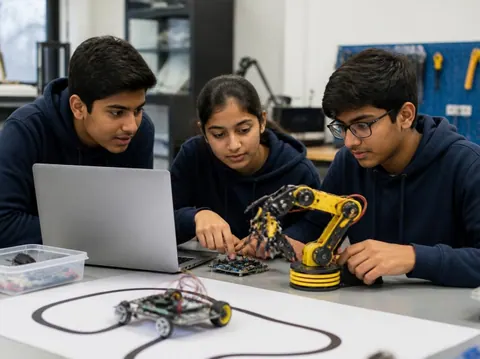
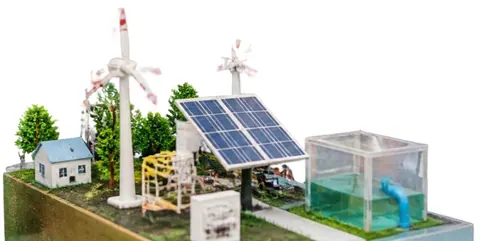
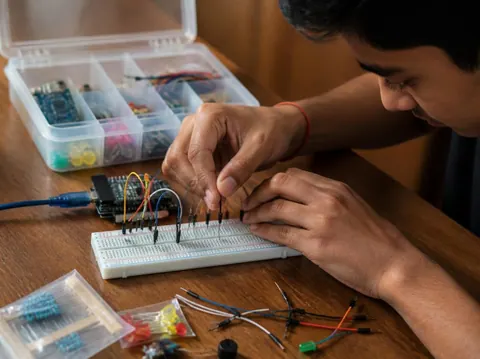
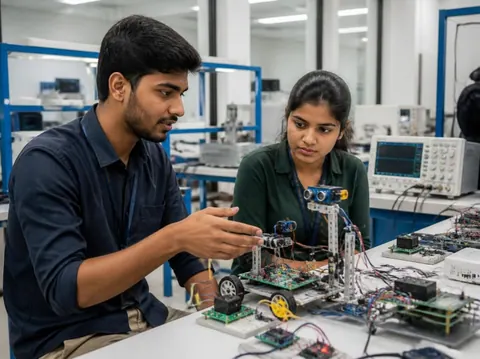
Cannot find what you need? Ask the head office on WhatsApp.
Free ebooks
Step-by-step project books for every class, plus guides to exhibitions, project files and viva questions. Free to download, read and print.
Science projects
Choose a project, build it, present it and answer the judges with confidence
Science projects
How to write the report, from the cover page to the bibliography
Science projects
How to answer examiner questions, with sample questions for popular projects
Science projects
Simple, safe projects young children can make with a little help
Science projects
Working models matched to middle-school science topics
Science projects
Topics, method and report structure for physics, chemistry and biology
Stay safe
Read these with a parent before you start. Ideas that need extra care carry their own safety note on the card.
Power your models with cells, batteries or a low-voltage adapter. Never connect anything home-made to a wall socket.
Cutters, blades, glue guns, soldering irons and drills need an adult beside you. Cut away from your body on a board.
Use only safe household materials at home. Acids, stains and other lab chemicals are for the school lab with your teacher. Wear goggles and never taste anything.
Candles and burners only with an adult present and water nearby. Tie back long hair and keep paper away.
Do not short-circuit a battery, mix old and new cells, or puncture or heat a lithium battery. Remove batteries when the model is stored.
Magnets, button cells and small parts can be swallowed. Keep them away from younger brothers and sisters, and wash your hands after making.
Still have a question?
Chat on WhatsAppA working model moves or works to show a principle, such as a windmill that lights an LED. A still model shows how something is built or arranged, such as the layers of the Earth. An investigatory project asks a question and answers it by experiment: you change one thing, measure the result and draw a conclusion from your readings.
Check your school’s rules first: some competitions want models made by the student, and some allow ready-made ones. Either way, you must understand how it works and be able to explain it. A good approach is to build from a kit, or to add your own measurements and chart to a ready-made model.
Each idea here shows a rough time for the making. Leave extra time for reading, testing, the report and practice: three to four weeks from choosing to presenting is comfortable for most school projects.
A title page, your aim, the science behind it, the materials, the method with a diagram, your observations in a table, the result and conclusion, precautions, and the books and websites you used. The free ebook “Writing a Science Project File” explains each part.
Carry spare cells, wires and tape, and test everything when you arrive. Take a short video or photos of it working at home. If something still fails, explain calmly what should happen and what you would check: judges value understanding as much as a perfect model.
More help
Read the student help pages, try the free calculators for circuits and units, or ask the head office on WhatsApp.