Science projects
Your Science Exhibition Guide
Choose a project, build it, present it and answer the judges with confidence
 Gurukul Technicals InstituteProjects & kits · Computer education · RoboticsBecome a Franchise PartnerMenu
Head office, Rana Pratap Bagh, Delhi
Science project idea finder
Find a project by class, subject and type. Every idea explains the science it shows, what you need, how long it takes and how to stay safe, with free ebooks and ready-made kits if you need them. 929 ideas have numbered steps and viva questions on their own page.
Every idea by class: Class 1 to 5, Class 6 to 8, Class 9 and 10, Class 11 and 12, College and diploma.
Want a complete build with diagrams? 16 free detailed project guides
Idea finder
Choose your class and what interests you, or search for a word such as magnet, solar, heart or robot. Open any card for a summary, or its title for the full page with the science, the steps and the viva questions.
Running a 555 astable fast enough produces audio frequencies. A potentiometer changes the timing resistance, so turning the knob slides the pitch up and down, demonstrating the link between frequency and pitch.
Safety: Battery power only. The sound can be shrill; keep it away from ears and pets.
Take it further: Add a second 555 running at 2 Hz to pin 5 of the first and you have a two-tone siren.
A reed switch closes when a magnet is near and opens when it moves away. With the magnet on the door and the switch on the frame, opening the door removes the magnet, and a transistor circuit turns the buzzer on, the same way shop door sensors work.
Safety: Reed switches are thin glass; bend the leads gently with pliers, never near the glass body. Keep small magnets away from young children.
Take it further: Add a relay latch so the alarm keeps sounding even after the door is pushed shut again.
A magnet on a spoke closes a reed switch on the fork once every turn, flashing an LED. Counting flashes in a known time and knowing the wheel circumference gives the bicycle speed, the same method a bike speedometer uses.
Safety: Test with the bicycle upside down or on a stand, never while riding on the road. Keep hands clear of the spokes.
Take it further: Feed the reed switch pulses into an Arduino and display the speed on a small screen.
An NTC thermistor loses resistance as it warms. In a voltage divider with a potentiometer, warming raises the transistor base voltage until it switches a buzzer on, giving an adjustable temperature alarm like the one in a geyser or a kettle.
Safety: An adult must pour the warm water; use water below 60 °C. Keep the breadboard and battery dry; only the thermistor on long leads goes near the cup.
Take it further: Swap the thermistor and the pot so the circuit sounds when something gets cold, for a fridge door alarm.
With the thermistor placed on the ground side of a voltage divider, cooling raises its resistance and the base voltage, lighting an LED when the air drops below a set temperature. It shows how the same sensor can trigger on cold instead of heat just by swapping its position.
Safety: Battery power only. Keep the thermistor in a dry plastic bag when testing with ice so water never reaches the circuit.
Take it further: Replace the LED with a relay module that switches on a battery lamp over the seedling tray.
A relay module can hold itself on: once its coil is energised, its own contact keeps feeding the coil even after the trigger button is released. This latch is how real alarm panels remember that a sensor tripped, until someone presses reset.
Safety: Battery power only; the relay contacts are rated for mains but you must never connect mains. Check the module label for its coil voltage.
Take it further: Replace the trigger button with the reed switch door sensor so a door opening latches the alarm on.
A small sensor signal can control a bigger load through a relay. The LDR and transistor sense darkness, the relay module switches a separate motor circuit, and the two circuits never share current, which is how electronics controls heavy machinery.
Safety: Battery power only; the relay contacts may be rated for mains but the mains is never used. Keep fingers clear of the propeller.
Take it further: Swap the LDR for the thermistor divider so the fan starts when the room gets hot instead of dark.
A solar cell turns light directly into electrical energy. Connected to a toy motor with a paper disc, it spins in sunlight, slows in shade and stops indoors, showing how output depends on the amount and angle of light.
Safety: Use the cell outdoors in sunlight but do not look at the sun. The motor runs above its rated voltage only briefly in full sun, so stop if it gets warm.
Take it further: Measure the cell voltage with a multimeter at different angles and plot voltage against angle.
The electrical output of a solar cell falls as the light strikes it at a shallower angle, because the same beam is spread over a bigger area. Measuring voltage and current at known tilt angles shows why rooftop panels in India are tilted roughly at the latitude angle.
Safety: Do not look at the sun. Work in the shade of a hat and take breaks; test in the morning or late afternoon rather than at midday in summer.
Take it further: Build a two-position tracker that tilts the cell by hand each hour and compare total output with a fixed cell.
A passive infrared (PIR) sensor detects the heat of a moving person. An Arduino switches a 12 V LED strip on through a relay and keeps it on for a timer period that restarts with every new movement, so the light never cuts out while someone is still walking.
Safety: Low voltage only: the relay switches the 12 V strip, never a mains lamp. An adult must check the adapter connections.
Take it further: Add an LDR so the light only works after dark, and log each trigger time to the serial monitor.
A DHT11 measures temperature and relative humidity, an Arduino calculates a heat index, and a small OLED screen shows the readings with a comfort message. The project shows how a digital sensor sends numbers over one wire.
Safety: USB or battery power only. Keep the OLED glass away from bending.
Take it further: Swap the DHT11 for a DHT22 and compare readings, or log readings to the serial plotter over a whole day.
An infrared flame sensor module detects the flicker and wavelength of a flame from a metre away. The Arduino sounds an alarm and runs a 5 V submersible pump through a relay so a tiny sprinkler sprays water on the model store room.
Safety: Test the sensor with a candle held by an adult, at arm's length, over a metal tray, and keep water away from the Arduino. Never leave the candle unattended. The pump runs on 5 V only.
Take it further: Use a 5-way flame sensor array and turn a servo so the sprinkler points towards the strongest reading.
An LDR measures daylight, the Arduino decides open or closed, and an L298N driver runs a geared DC motor in either direction to pull a string curtain across a model window. Two limit switches stop the motor at each end.
Safety: Battery power only. Keep fingers away from the string and spool while the motor runs. Small parts: keep away from young children.
Take it further: Add a DS3231 clock so the curtain also closes at a set bedtime regardless of light.
A rain sensor board has interleaved copper tracks whose resistance drops when water bridges them. The Arduino reads that change and swings a servo to shut a hinged cardboard window, then reopens it when the board dries.
Safety: Keep water on the sensor board only, away from the Arduino. USB power only.
Take it further: Use the analog value to show rain intensity on three LEDs: light, medium, heavy.
Rain collected by a funnel fills one side of a tiny see-saw bucket; when it tips, a magnet passes a reed switch and the Arduino counts one tip. Knowing the volume per tip and the funnel area gives rainfall in millimetres on an LCD.
Safety: Keep the electronics in a sealed box under the funnel. Small magnets must be kept away from young children.
Take it further: Add an ESP8266 and post the daily total to a free weather sharing site.
A PIR sensor detects a bird or animal entering a model field; the Arduino then flaps a shiny ribbon with a servo and plays random beeps for a few seconds. Random timing stops birds getting used to it, a real problem with fixed scarecrows.
Safety: Battery power only. Keep fingers clear of the flapping arm.
Take it further: Add a small solar panel and a rechargeable pack, and log the number of triggers per day.
A DHT11 inside a model grain bin watches humidity; stored grain spoils and grows mould when air humidity stays high. The NodeMCU shows the reading on a phone page, sounds a buzzer and sends an alert when humidity stays above a limit for a set time.
Safety: USB power only. Do not eat grain used in the demonstration after it has been dampened.
Take it further: Add a second sensor outside and show the inside and outside readings side by side.
A microphone sound sensor module gives a voltage that swings with sound pressure. The Arduino measures the swing over short windows, shows it on an LED bar and an OLED, and flashes a warning when the class is too loud for too long.
Safety: USB or battery power only.
Take it further: Calibrate against a phone sound meter app and display an estimated dB value.
An electric current heats a resistor, and the heat produced in a fixed time is V squared divided by R, times t. Doubling the voltage on the same coil makes it deliver four times the heat.
Safety: An adult must check the coil and the connections; the coil and the cup can get hot, so never touch the coil with a bare hand while the current flows, and keep the switch off between readings. Use only cells, never mains electricity.
Take it further: Keep the voltage fixed and use coils of two different lengths to show that heat in a fixed time is inversely proportional to R at constant voltage.
Two resistors in series share the cell’s voltage in proportion to their resistances. Replacing one with an LDR makes the output voltage change with light, which is how many sensors work.
Safety: Use cells only. An adult should check the wiring before the cells are connected.
Take it further: Use the LDR divider output to drive a transistor that switches on an LED when the room darkens, and find the light level at which it switches.
A wire carrying current in a magnetic field feels a sideways push, F = B I L. Reversing the current or the magnet reverses the push, as Fleming’s left-hand rule says.
Safety: An adult must supervise: the foil can get warm and the current is large for a short time, so tap the switch only for a second or two. Keep magnets away from phones, watches and bank cards.
Take it further: Estimate the field B between the magnets from F = B I L using the swing angle and the mass of the foil strip.
A bulb’s filament gets hotter as the current rises, and a hotter metal resists more. The graph of voltage against current therefore bends and the bulb does not obey Ohm’s law.
Safety: An adult must check the wiring. Do not push a 2.5 V bulb above 3 V: it will burn out and the glass could pop. Use cells only.
Take it further: Measure a pencil-lead resistor over the same range and show that its graph is much closer to a straight line.
A convex lens forms a real, inverted image on a screen at a distance that depends on where the object is. The lens formula links the two distances to the focal length, and a graph of 1/v against 1/u gives f accurately.
Safety: Never point the lens at the Sun; an adult must make the cross cut in the paper.
Take it further: Measure the magnification v / u for each position and plot it against v to find a second value of f.
The size, position and nature of the image in a concave mirror change as the object moves from far away to inside the focal length. The mirror formula and magnification can be checked with real readings.
Safety: Do not let the mirror focus the Sun on skin, paper or cloth; an adult must supervise outdoor tests of the focal length.
Take it further: Use a spoon-sized convex mirror and show that it always gives a small, upright, virtual image.
Before you start
Six things to think about before you decide. A project you understand and finish well beats a big one you rush.
Good projects answer a question you are curious about: why does iron rust, which fabric keeps tea hottest, how does a robot follow a line? A question gives your project a purpose.
Find out whether your teacher wants a working model, a still model or an investigatory project, the size limits, the topic or theme, the date, and whether ready-made models are allowed.
Each idea here shows a class band, a difficulty and a rough time. Choose something you can finish properly with time to test it, rather than something huge you have to rush.
Judges and examiners ask how it works. Choose an idea whose science you understand, or can learn from your textbook and the free ebooks, and practise explaining it.
Write down everything you need before you start. Many models use things from home; motors, LEDs, sensors and boards are easy to buy as spare parts or in a kit.
Change one thing and measure what happens, add a chart of your readings, or show a real-life use. Even a well-known model becomes yours when you add your own observations.
Plan your time
Work backwards from the date of your exhibition or submission. Short of time? Do the same steps faster, but never skip testing.
On the day
You will usually have a minute or two to explain your project, then questions. Practise both out loud at home.
Projects and kits
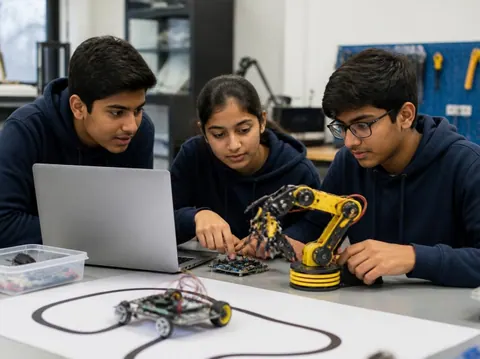
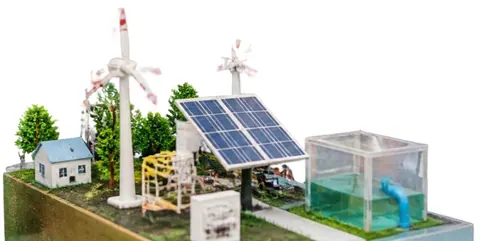
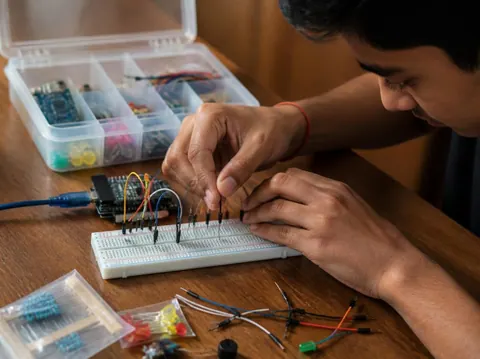
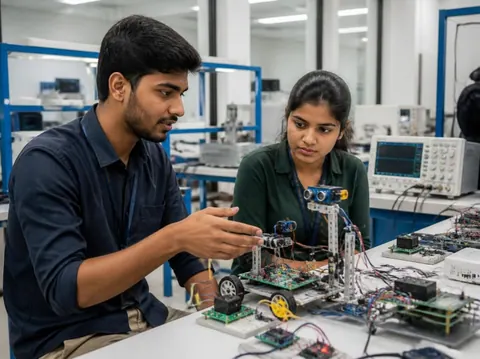
Need a working model, a kit to build yourself, or a motor, LED, battery or sensor to finish your own? Every idea card links to the matching section of the store.
Cannot find what you need? Ask the head office on WhatsApp.
Free ebooks
Step-by-step project books for every class, plus guides to exhibitions, project files and viva questions. Free to download, read and print.
Science projects
Choose a project, build it, present it and answer the judges with confidence
Science projects
How to write the report, from the cover page to the bibliography
Science projects
How to answer examiner questions, with sample questions for popular projects
Science projects
Simple, safe projects young children can make with a little help
Science projects
Working models matched to middle-school science topics
Science projects
Topics, method and report structure for physics, chemistry and biology
Stay safe
Read these with a parent before you start. Ideas that need extra care carry their own safety note on the card.
Power your models with cells, batteries or a low-voltage adapter. Never connect anything home-made to a wall socket.
Cutters, blades, glue guns, soldering irons and drills need an adult beside you. Cut away from your body on a board.
Use only safe household materials at home. Acids, stains and other lab chemicals are for the school lab with your teacher. Wear goggles and never taste anything.
Candles and burners only with an adult present and water nearby. Tie back long hair and keep paper away.
Do not short-circuit a battery, mix old and new cells, or puncture or heat a lithium battery. Remove batteries when the model is stored.
Magnets, button cells and small parts can be swallowed. Keep them away from younger brothers and sisters, and wash your hands after making.
Still have a question?
Chat on WhatsAppA working model moves or works to show a principle, such as a windmill that lights an LED. A still model shows how something is built or arranged, such as the layers of the Earth. An investigatory project asks a question and answers it by experiment: you change one thing, measure the result and draw a conclusion from your readings.
Check your school’s rules first: some competitions want models made by the student, and some allow ready-made ones. Either way, you must understand how it works and be able to explain it. A good approach is to build from a kit, or to add your own measurements and chart to a ready-made model.
Each idea here shows a rough time for the making. Leave extra time for reading, testing, the report and practice: three to four weeks from choosing to presenting is comfortable for most school projects.
A title page, your aim, the science behind it, the materials, the method with a diagram, your observations in a table, the result and conclusion, precautions, and the books and websites you used. The free ebook “Writing a Science Project File” explains each part.
Carry spare cells, wires and tape, and test everything when you arrive. Take a short video or photos of it working at home. If something still fails, explain calmly what should happen and what you would check: judges value understanding as much as a perfect model.
More help
Read the student help pages, try the free calculators for circuits and units, or ask the head office on WhatsApp.