Science projects
Your Science Exhibition Guide
Choose a project, build it, present it and answer the judges with confidence
 Gurukul Technicals InstituteProjects & kits · Computer education · RoboticsBecome a Franchise PartnerMenu
Head office, Rana Pratap Bagh, Delhi
Science project idea finder
Find a project by class, subject and type. Every idea explains the science it shows, what you need, how long it takes and how to stay safe, with free ebooks and ready-made kits if you need them. 929 ideas have numbered steps and viva questions on their own page.
Every idea by class: Class 1 to 5, Class 6 to 8, Class 9 and 10, Class 11 and 12, College and diploma.
Want a complete build with diagrams? 16 free detailed project guides
Idea finder
Choose your class and what interests you, or search for a word such as magnet, solar, heart or robot. Open any card for a summary, or its title for the full page with the science, the steps and the viva questions.
Points from many events are added for each house with SUMIF, ranked and drawn as a bar chart. It shows how one list of results can produce a summary.
Take it further: Add team events with double points using a column of multipliers and include it in the SUMPRODUCT formula.
A set of made-up messages, some genuine-looking and some fake, is sorted by friends using a checklist, and the results show which tricks work best. It teaches how to recognise phishing and scam messages.
Safety: Use only invented messages and never real company logos, phone numbers or links. Do not send fake messages to anyone, and a teacher must approve the test.
Take it further: Compare how well different age groups do and show the result in a chart.
Twenty questions with known answers are put to an AI chatbot and the answers are checked against textbooks, giving an accuracy percentage and a list of confident mistakes. It shows that AI can be useful but must be verified.
Safety: Use the chatbot with an adult, never type your name, address, school or photos, and follow the age rules of the tool.
Take it further: Repeat the test a month later or with a second chatbot and compare accuracy.
A free browser tool learns to tell a pencil, an eraser and a sharpener from webcam examples, and testing shows how the number and variety of examples change accuracy. It teaches how machine learning learns from data.
Safety: Point the camera only at the objects and not at faces. Read what the tool says about where images are stored and do not save the project online with images of people.
Take it further: Add a fourth class called nothing with only the empty background so the model can say that no object is present.
Apps on a phone are checked for the permissions they hold, such as camera, microphone and location, and compared with what they need. It teaches how to protect privacy by limiting access.
Safety: Only audit a phone with its owner’s agreement and an adult present. Do not change settings on a phone you do not own, and do not note down any passwords or personal data.
Take it further: Repeat after a month and see whether any apps changed their permissions after an update.
Short paragraphs written by students and by an AI tool are mixed and shown to volunteers who guess the author. The results show how hard it is to tell and what clues people use.
Safety: Use the AI tool with an adult and give it no personal details. Show paragraphs without names and use the test only for learning, never to accuse anyone of cheating.
Take it further: Test whether a longer paragraph is easier to identify than a short one.
A flowchart with decision diamonds and a loop describes the steps of an ATM withdrawal, including three PIN attempts and a balance check. It shows how to plan an algorithm before coding it.
Take it further: Translate the flowchart into a Python program using a while loop and an if for each diamond.
Eight number cards are sorted by two methods while counting comparisons and swaps. It shows how different algorithms reach the same answer with different amounts of work.
Take it further: Write bubble sort in Python with nested for loops and count its swaps with a variable, then check against your hand count.
Looking for a roll number in a sorted list is done one by one and then by halving, and the steps are counted. It shows why binary search is so much faster for large lists.
Take it further: Write both searches in Python for a list of 1000 numbers and count steps with a variable.
Three linked tables for books, members and loans answer questions such as who has which book, using a JOIN. It shows how real databases avoid repeating data.
Take it further: Add a fine column and a query that calculates fines of Rs 2 per day using julianday for the dates.
One items table answers questions on stock value by category, items running low and best selling price using WHERE, GROUP BY and ORDER BY. It shows how a shop can manage stock with simple queries.
Take it further: Add a sales table and a JOIN to show the profit per item as sold quantity times the price difference.
Players and match scores in two tables give totals, averages and strike rates with JOIN, GROUP BY and HAVING. It shows how statistics in sports are calculated by queries.
Take it further: Add a bowling table with wickets and runs conceded and compute economy rate.
Routes and riders are stored in two tables, and queries give riders per route, fare income and routes with nobody on them using LEFT JOIN. It teaches the difference between inner and outer joins.
Take it further: Add a drivers table and show the driver, area and riders for each route with two joins.
A class bundles data and actions for an account, and the code raises errors for overdrawing. It introduces object oriented programming with a familiar example.
Safety: This is a practice program with made-up money. Never enter real bank details into any practice program.
Take it further: Create a SavingsAccount class that inherits from Account and adds a method to add yearly interest.
One program finds primes with the Sieve of Eratosthenes and generates Fibonacci numbers whose consecutive ratio settles near 1.618. It links number patterns to loops and lists.
Take it further: Plot the primes below 100 as a spiral using turtle (Ulam spiral) and look for diagonal lines.
Staircase and passage lights, bell pushes and sample-and-hold stages all need a pulse of fixed length after a single trigger. A 555 timer in monostable mode gives such a pulse, and its length is set by one resistor and one capacitor. The project tests how close the formula T = 1.1 RC is to what a stopwatch measures.
Safety: Use a battery only. Connect the capacitor with the correct polarity, because a reversed electrolytic can heat up and burst. An adult must check the circuit before the first power-up.
Take it further: Make it retriggerable by adding a BC547 transistor that discharges the capacitor on every new press, and use it as a corridor timer.
Every student lab needs a variable DC supply, and shop-bought ones are costly. An LM317 regulator with two resistors gives an adjustable output. The project builds one from a 15 V adapter output and tests how much the output falls when the load current rises, which is the load regulation.
Safety: Take power only from a sealed ready-made adapter or battery. Never open the adapter or build any mains-side circuit. The regulator and load resistors get hot: an adult must supervise, and let them cool before touching.
Take it further: Add a second LM317 as a current limiter with a sensing resistor so that the supply works as a constant-current LED tester.
Rechargeable and cheap zinc cells carry a printed capacity that is often much higher than the truth. A constant-current load with an Arduino logger finds the real milliamp-hours of a cell by recording voltage until the cell reaches its cut-off.
Safety: Test only single AA or AAA cells at a current of 100 to 500 mA. Never test lithium cells this way, never short a cell and never leave the rig unattended near paper. An adult must be present.
Take it further: Test the same cell at 100, 300 and 500 mA and plot capacity against current to show the Peukert effect.
A single cell below 1 V cannot light a white LED, which needs about 3 V. A joule thief is a tiny blocking oscillator that pumps energy from the cell in short bursts and steps the voltage up. The project builds it and measures the pulse frequency, the output voltage and the extra running time.
Safety: An LED glowing at full brightness for long can be dazzling: do not stare at it. Use only a single AA cell. The enamelled wire ends must be scraped clean with sandpaper, which an adult may need to help with.
Take it further: Add a diode and a capacitor at the output to get a smoothed DC voltage and use it to charge a small capacitor.
Small radios, intercoms and toy speakers use small audio power amplifiers. The LM386 gives gain of 20 or 200 with a few components. The project builds one and measures the voltage gain and how it changes with frequency, so that a student learns to read a Bode-style plot.
Safety: Keep the sound level low so that your ears are not damaged during test tones. Use only a battery. An adult must check the wiring before the first power-up.
Take it further: Add a TL072 op-amp as a microphone pre-amplifier in front of the LM386 and build a small intercom.
Infrared remotes talk to TVs and fans by sending pulses of 38 kHz light. An Arduino with a TSOP1738 receiver can decode the pulse train of each button, which teaches the idea of a protocol, and can then switch low-voltage loads from any old remote.
Safety: Use USB power only. If you add the relay, switch only a 5 V fan or an LED strip. An adult must supervise any wiring beyond the receiver.
Take it further: Use the Arduino as a learning remote that stores codes in EEPROM and sends them back using an IR LED.
A thermistor is cheap and sensitive but its resistance is not linear with temperature. By measuring resistance at three known temperatures and fitting the Steinhart-Hart equation, you can build a digital thermometer more accurate than a basic LM35 and show how calibration removes error.
Safety: Use warm water only, not boiling. An adult must handle hot water and keep the electronics well away from it. Waterproof the thermistor joint with heat-shrink or tape.
Take it further: Log temperature every minute for a day into a CSV file and plot the day-night cycle inside a classroom.
Phone chargers, LED drivers and solar chargers use switching converters because linear regulators waste power as heat. The project tests a ready-made LM2596 buck module and compares its efficiency with an LM7805 linear regulator at the same load.
Safety: Use a sealed ready-made 12 V adapter or a battery. Resistors and regulators get very hot: an adult must supervise, and nothing flammable may be near the table.
Take it further: Measure the output ripple with an oscilloscope or sound-card scope, and add an LC filter to reduce it.
Before you start
Six things to think about before you decide. A project you understand and finish well beats a big one you rush.
Good projects answer a question you are curious about: why does iron rust, which fabric keeps tea hottest, how does a robot follow a line? A question gives your project a purpose.
Find out whether your teacher wants a working model, a still model or an investigatory project, the size limits, the topic or theme, the date, and whether ready-made models are allowed.
Each idea here shows a class band, a difficulty and a rough time. Choose something you can finish properly with time to test it, rather than something huge you have to rush.
Judges and examiners ask how it works. Choose an idea whose science you understand, or can learn from your textbook and the free ebooks, and practise explaining it.
Write down everything you need before you start. Many models use things from home; motors, LEDs, sensors and boards are easy to buy as spare parts or in a kit.
Change one thing and measure what happens, add a chart of your readings, or show a real-life use. Even a well-known model becomes yours when you add your own observations.
Plan your time
Work backwards from the date of your exhibition or submission. Short of time? Do the same steps faster, but never skip testing.
On the day
You will usually have a minute or two to explain your project, then questions. Practise both out loud at home.
Projects and kits
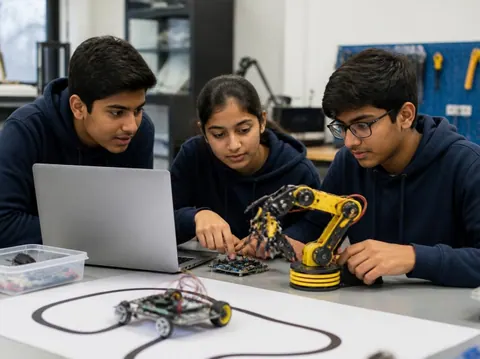
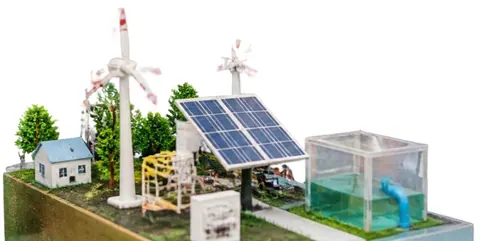
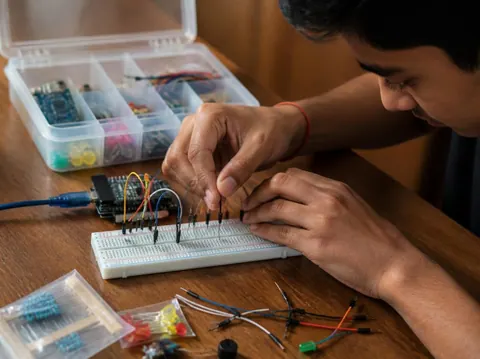
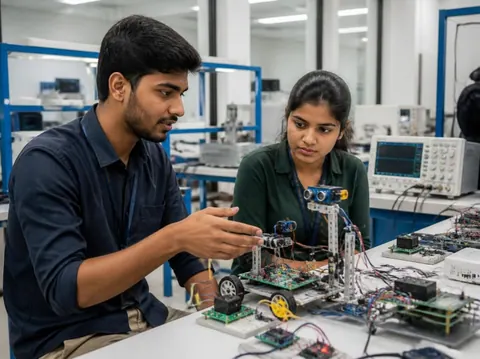
Need a working model, a kit to build yourself, or a motor, LED, battery or sensor to finish your own? Every idea card links to the matching section of the store.
Cannot find what you need? Ask the head office on WhatsApp.
Free ebooks
Step-by-step project books for every class, plus guides to exhibitions, project files and viva questions. Free to download, read and print.
Science projects
Choose a project, build it, present it and answer the judges with confidence
Science projects
How to write the report, from the cover page to the bibliography
Science projects
How to answer examiner questions, with sample questions for popular projects
Science projects
Simple, safe projects young children can make with a little help
Science projects
Working models matched to middle-school science topics
Science projects
Topics, method and report structure for physics, chemistry and biology
Stay safe
Read these with a parent before you start. Ideas that need extra care carry their own safety note on the card.
Power your models with cells, batteries or a low-voltage adapter. Never connect anything home-made to a wall socket.
Cutters, blades, glue guns, soldering irons and drills need an adult beside you. Cut away from your body on a board.
Use only safe household materials at home. Acids, stains and other lab chemicals are for the school lab with your teacher. Wear goggles and never taste anything.
Candles and burners only with an adult present and water nearby. Tie back long hair and keep paper away.
Do not short-circuit a battery, mix old and new cells, or puncture or heat a lithium battery. Remove batteries when the model is stored.
Magnets, button cells and small parts can be swallowed. Keep them away from younger brothers and sisters, and wash your hands after making.
Still have a question?
Chat on WhatsAppA working model moves or works to show a principle, such as a windmill that lights an LED. A still model shows how something is built or arranged, such as the layers of the Earth. An investigatory project asks a question and answers it by experiment: you change one thing, measure the result and draw a conclusion from your readings.
Check your school’s rules first: some competitions want models made by the student, and some allow ready-made ones. Either way, you must understand how it works and be able to explain it. A good approach is to build from a kit, or to add your own measurements and chart to a ready-made model.
Each idea here shows a rough time for the making. Leave extra time for reading, testing, the report and practice: three to four weeks from choosing to presenting is comfortable for most school projects.
A title page, your aim, the science behind it, the materials, the method with a diagram, your observations in a table, the result and conclusion, precautions, and the books and websites you used. The free ebook “Writing a Science Project File” explains each part.
Carry spare cells, wires and tape, and test everything when you arrive. Take a short video or photos of it working at home. If something still fails, explain calmly what should happen and what you would check: judges value understanding as much as a perfect model.
More help
Read the student help pages, try the free calculators for circuits and units, or ask the head office on WhatsApp.