Science projects
Your Science Exhibition Guide
Choose a project, build it, present it and answer the judges with confidence
 Gurukul Technicals InstituteProjects & kits · Computer education · RoboticsBecome a Franchise PartnerMenu
Head office, Rana Pratap Bagh, Delhi
Science project idea finder
Find a project by class, subject and type. Every idea explains the science it shows, what you need, how long it takes and how to stay safe, with free ebooks and ready-made kits if you need them. 929 ideas have numbered steps and viva questions on their own page.
Every idea by class: Class 1 to 5, Class 6 to 8, Class 9 and 10, Class 11 and 12, College and diploma.
Want a complete build with diagrams? 16 free detailed project guides
Idea finder
Choose your class and what interests you, or search for a word such as magnet, solar, heart or robot. Open any card for a summary, or its title for the full page with the science, the steps and the viva questions.
The program reads marks from a CSV file and finds the mean, median, highest, lowest and pass percentage. It shows how code can analyse data that a spreadsheet also holds.
Take it further: Add a second subject column and print the student with the best total, and draw a bar of stars for each mark range.
The bot scans your sentence for keywords and picks a stored reply. It shows how simple chatbots work and why they fail on things they have no rule for, which is a good lesson for AI literacy.
Take it further: Use random.choice on a list of replies for each keyword so the bot does not repeat itself.
The program scores a password on length, capital letters, small letters, digits and symbols. It shows how longer and mixed passwords are harder to guess and how string methods work.
Safety: Test only with made-up passwords. Never type a real password into any program you are testing.
Take it further: Calculate the number of possible passwords as the pool size raised to the length and print it with the score.
A set stores guessed letters, a join expression shows the word with blanks and a lives counter ends the game. It combines strings, sets, loops and conditions in one program.
Take it further: Read the word list from a text file and add a drawing of the hangman with turtle.
A price dictionary and a loop build a neat bill with totals and a discount rule. It shows how everyday billing can be programmed with formatted output.
Take it further: Save every bill to a text file with the date and read it back to find the day’s total sales.
A function draws filled rectangles and a loop draws 24 spokes, so the flag is built from geometry and code. It shows how functions and loops reduce repetition.
Take it further: Make the flag size a variable so one change redraws the whole flag at double or half size.
The program stores 12 monthly rainfall values, finds the wettest month and the average, and draws a bar of hash signs for each month. It shows basic data analysis with lists.
Take it further: Read the values from a CSV file for several years and print which year had the highest total.
Each letter is shifted by a key along the alphabet, and trying all 25 keys breaks the code. It shows how simple ciphers work and why they are weak.
Take it further: Count letter frequencies in a long coded message and use the most common letter, usually E, to guess the key without trying all.
The program reads a text file, cleans the words and counts them in a dictionary. It shows how text analysis works and which words dominate ordinary writing.
Take it further: Skip a list of stop words such as the, a and of to reveal the topic words of the text.
A list of nine cells holds the board and a list of eight winning lines is checked after each move. It shows how to model a game with data.
Take it further: Write a computer player that takes a winning move if it can, or blocks yours, otherwise picks randomly.
Records of students are stored as nested data in a JSON file and can be added, searched, updated and deleted. It is a small version of how real databases and apps keep data.
Take it further: Add a report that prints the class topper and the average using max with a key function.
The program reads present and total days from a CSV, works out the percentage and writes a second file listing those below 75 percent. It shows reading, calculating and writing data in one pipeline.
Take it further: Also compute how many more days each student must attend to reach 75 percent if the term has 200 days.
HTML gives the structure of a resume with sections, and CSS styles fonts, colours and spacing in a separate file. It shows how content and design are kept apart.
Safety: Do not put real phone numbers or home addresses in anything you publish online.
Take it further: Add a media query that reduces the font size and padding on screens narrower than 500 pixels.
Semantic tags and CSS columns lay out an article like a newspaper page. It teaches page structure and layout with real content.
Safety: Use only photos where the people in them agree, and leave out names and faces if they do not.
Take it further: Add a navigation bar linking to separate pages for sports, art and science sections.
Flexbox arranges images in a wrapping grid, and a hover rule enlarges the image under the cursor. It shows modern CSS layout without tables.
Take it further: Make clicking a picture show it bigger using the CSS :target selector or a few lines of JavaScript.
Form tags collect text, a choice and a message, and HTML attributes check the input before sending. It shows how websites collect information.
Safety: This page does not send data anywhere. Never ask for or enter real personal details, passwords or card numbers in a practice form.
Take it further: Use JavaScript to show a thank-you message and stop the page from reloading when the form is submitted.
CSS keyframes make a flame flicker and a greeting fade in with no JavaScript. It shows how animation is described by start and end states.
Take it further: Add a button that uses JavaScript to turn the diya off by changing the flame’s display style.
A button runs a few lines of JavaScript that switch a CSS class, and localStorage keeps the choice for the next visit. It is a first step from static pages to interactive ones.
Take it further: Choose the first mode automatically with window.matchMedia("(prefers-color-scheme: dark)").matches.
Formulas work out each student’s total, percentage, grade and pass or fail, and nested IF handles the grade bands. It shows how report cards can be calculated automatically.
Take it further: Add a column with the subject in which each student scored the highest using INDEX and MATCH with MAX.
Present and absent entries are counted with COUNTIF, converted to a percentage, and flagged when below 75 percent. It shows how formulas can replace manual counting.
Take it further: Use a pivot-like summary to show the average attendance by day of the week.
A single formula with MIN and MAX charges different rates for each block of units, as slab billing does. It shows how step-rate pricing works and how to check it.
Take it further: Compare your bill before and after switching a bulb or fan to a more efficient one using real meter readings.
RANK orders students by total and VLOOKUP fetches one student’s full record by roll number to fill a report card. It shows how lookup formulas turn a data table into a report.
Take it further: Replace VLOOKUP with INDEX and MATCH and explain why it still works when the key is not in the first column.
Two formulas grow the same sum at the same rate, one adding the same interest each year and one adding interest on interest. The chart shows compounding pulling ahead with time.
Take it further: Add a column for compounding every six months, using (1 + r/200)^(2n), and compare.
Before you start
Six things to think about before you decide. A project you understand and finish well beats a big one you rush.
Good projects answer a question you are curious about: why does iron rust, which fabric keeps tea hottest, how does a robot follow a line? A question gives your project a purpose.
Find out whether your teacher wants a working model, a still model or an investigatory project, the size limits, the topic or theme, the date, and whether ready-made models are allowed.
Each idea here shows a class band, a difficulty and a rough time. Choose something you can finish properly with time to test it, rather than something huge you have to rush.
Judges and examiners ask how it works. Choose an idea whose science you understand, or can learn from your textbook and the free ebooks, and practise explaining it.
Write down everything you need before you start. Many models use things from home; motors, LEDs, sensors and boards are easy to buy as spare parts or in a kit.
Change one thing and measure what happens, add a chart of your readings, or show a real-life use. Even a well-known model becomes yours when you add your own observations.
Plan your time
Work backwards from the date of your exhibition or submission. Short of time? Do the same steps faster, but never skip testing.
On the day
You will usually have a minute or two to explain your project, then questions. Practise both out loud at home.
Projects and kits
Need a working model, a kit to build yourself, or a motor, LED, battery or sensor to finish your own? Every idea card links to the matching section of the store.
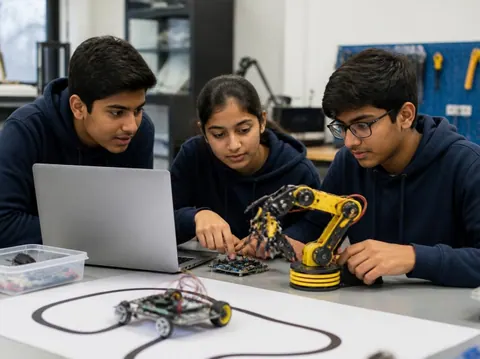
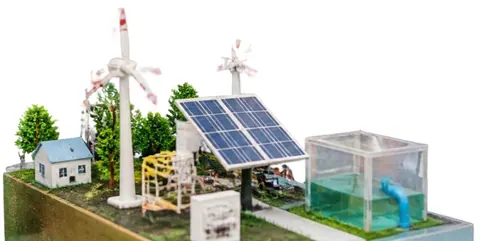
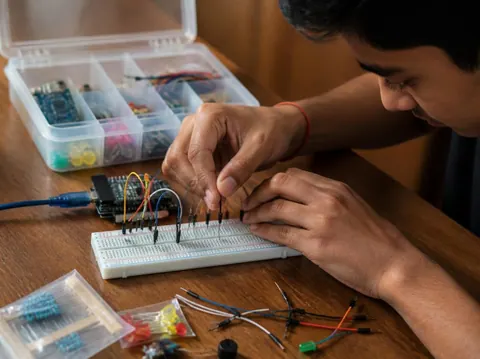
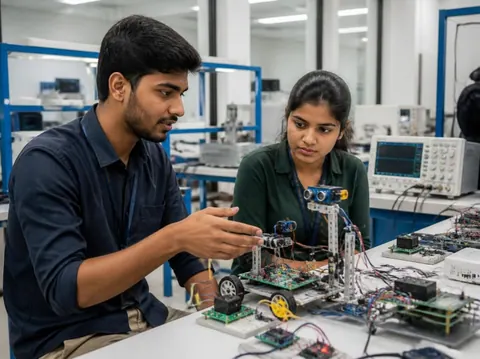
Cannot find what you need? Ask the head office on WhatsApp.
Free ebooks
Step-by-step project books for every class, plus guides to exhibitions, project files and viva questions. Free to download, read and print.
Science projects
Choose a project, build it, present it and answer the judges with confidence
Science projects
How to write the report, from the cover page to the bibliography
Science projects
How to answer examiner questions, with sample questions for popular projects
Science projects
Simple, safe projects young children can make with a little help
Science projects
Working models matched to middle-school science topics
Science projects
Topics, method and report structure for physics, chemistry and biology
Stay safe
Read these with a parent before you start. Ideas that need extra care carry their own safety note on the card.
Power your models with cells, batteries or a low-voltage adapter. Never connect anything home-made to a wall socket.
Cutters, blades, glue guns, soldering irons and drills need an adult beside you. Cut away from your body on a board.
Use only safe household materials at home. Acids, stains and other lab chemicals are for the school lab with your teacher. Wear goggles and never taste anything.
Candles and burners only with an adult present and water nearby. Tie back long hair and keep paper away.
Do not short-circuit a battery, mix old and new cells, or puncture or heat a lithium battery. Remove batteries when the model is stored.
Magnets, button cells and small parts can be swallowed. Keep them away from younger brothers and sisters, and wash your hands after making.
Still have a question?
Chat on WhatsAppA working model moves or works to show a principle, such as a windmill that lights an LED. A still model shows how something is built or arranged, such as the layers of the Earth. An investigatory project asks a question and answers it by experiment: you change one thing, measure the result and draw a conclusion from your readings.
Check your school’s rules first: some competitions want models made by the student, and some allow ready-made ones. Either way, you must understand how it works and be able to explain it. A good approach is to build from a kit, or to add your own measurements and chart to a ready-made model.
Each idea here shows a rough time for the making. Leave extra time for reading, testing, the report and practice: three to four weeks from choosing to presenting is comfortable for most school projects.
A title page, your aim, the science behind it, the materials, the method with a diagram, your observations in a table, the result and conclusion, precautions, and the books and websites you used. The free ebook “Writing a Science Project File” explains each part.
Carry spare cells, wires and tape, and test everything when you arrive. Take a short video or photos of it working at home. If something still fails, explain calmly what should happen and what you would check: judges value understanding as much as a perfect model.
More help
Read the student help pages, try the free calculators for circuits and units, or ask the head office on WhatsApp.